
Hand-drawn → 3D
vectorize(image("...")) is the bitmap counterpart to svg(): it traces a
raster line drawing to a uniform single-line centreline (binarize →
bridge gaps → thin → trace → simplify), then strokes + extrudes it to a
watertight 3D solid — same depth / size / round controls. Tracing runs
once and is cached, so the animation stays smooth.
The original hand drawing:
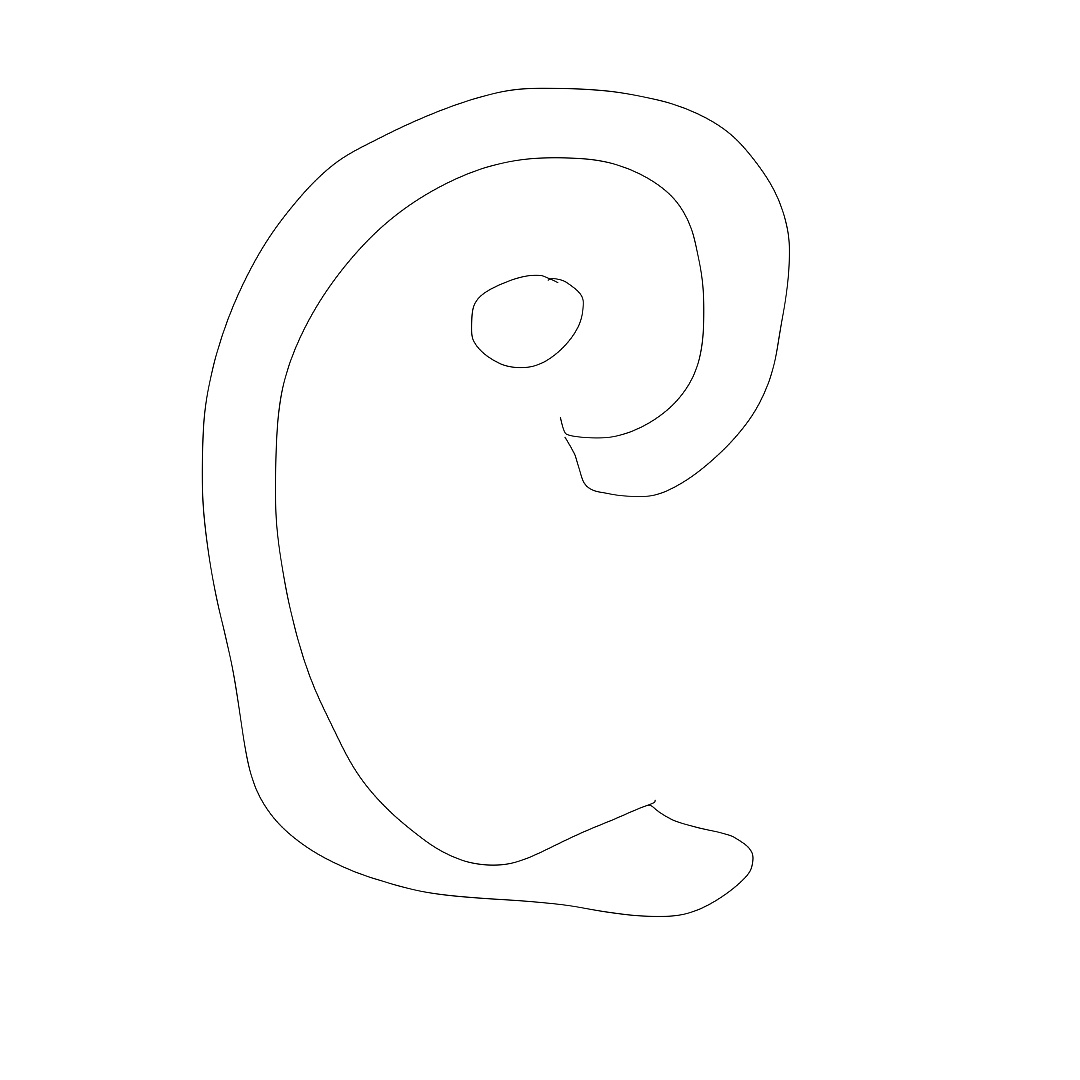
…and the same sketch, vectorized to one uniform line and extruded to a turning 3D mark:
runner "0.0.13";

use std.shapes.*;
use std.scene3d.*;
use std.lighting.*;
use std.anim.*;

scene handdrawn(duration: Duration = 8s) -> Frame {
  let bg = rect(width: 1080px, height: 1080px, fill: oklch(0.10, 0.03, 280));

  // vectorize() traces a raster line drawing to a uniform single-line
  // centreline (binarize -> bridge gaps -> thin -> trace -> simplify) and
  // extrudes it just like svg(): one hand drawing -> a turning 3D mark.
  let spin = animate { 0s => -20deg, 4s => 20deg, 8s => -20deg } with { easing: easing.in_out_cubic };

  let mark = vectorize(image("/img/handdrawn.jpg"),
                       stroke_width: 8px, simplify: 2.0, bridge: 5, stitch: 110,
                       depth: 70px, size: 780px, round: 10px)
               .material(fill: oklch(0.72, 0.15, 250), metalness: 0.3, roughness: 0.3)
               .rotate(x: 12deg, y: spin);

  let lights = [
    ambient(0.5),
    directional(from: vec3(2, 3, 5), intensity: 1.4),
    point(at: vec3(-220px, 220px, 420px), intensity: 1.0),
  ];

  compose [ bg, render3d(mark, lights: lights, camera: camera(distance: 2166)) ]
}
%20-%3E%20Frame%20%7B%0A%20%20let%20bg%20%3D%20rect(width%3A%201080px%2C%20height%3A%201080px%2C%20fill%3A%20oklch(0.10%2C%200.03%2C%20280))%3B%0A%0A%20%20%2F%2F%20vectorize()%20traces%20a%20raster%20line%20drawing%20to%20a%20uniform%20single-line%0A%20%20%2F%2F%20centreline%20(binarize%20-%3E%20bridge%20gaps%20-%3E%20thin%20-%3E%20trace%20-%3E%20simplify)%20and%0A%20%20%2F%2F%20extrudes%20it%20just%20like%20svg()%3A%20one%20hand%20drawing%20-%3E%20a%20turning%203D%20mark.%0A%20%20let%20spin%20%3D%20animate%20%7B%200s%20%3D%3E%20-20deg%2C%204s%20%3D%3E%2020deg%2C%208s%20%3D%3E%20-20deg%20%7D%20with%20%7B%20easing%3A%20easing.in_out_cubic%20%7D%3B%0A%0A%20%20let%20mark%20%3D%20vectorize(image(%22%2Fimg%2Fhanddrawn.jpg%22)%2C%0A%20%20%20%20%20%20%20%20%20%20%20%20%20%20%20%20%20%20%20%20%20%20%20stroke_width%3A%208px%2C%20simplify%3A%202.0%2C%20bridge%3A%205%2C%20stitch%3A%20110%2C%0A%20%20%20%20%20%20%20%20%20%20%20%20%20%20%20%20%20%20%20%20%20%20%20depth%3A%2070px%2C%20size%3A%20780px%2C%20round%3A%2010px)%0A%20%20%20%20%20%20%20%20%20%20%20%20%20%20%20.material(fill%3A%20oklch(0.72%2C%200.15%2C%20250)%2C%20metalness%3A%200.3%2C%20roughness%3A%200.3)%0A%20%20%20%20%20%20%20%20%20%20%20%20%20%20%20.rotate(x%3A%2012deg%2C%20y%3A%20spin)%3B%0A%0A%20%20let%20lights%20%3D%20%5B%0A%20%20%20%20ambient(0.5)%2C%0A%20%20%20%20directional(from%3A%20vec3(2%2C%203%2C%205)%2C%20intensity%3A%201.4)%2C%0A%20%20%20%20point(at%3A%20vec3(-220px%2C%20220px%2C%20420px)%2C%20intensity%3A%201.0)%2C%0A%20%20%5D%3B%0A%0A%20%20compose%20%5B%20bg%2C%20render3d(mark%2C%20lights%3A%20lights%2C%20camera%3A%20camera(distance%3A%202166))%20%5D%0A%7D%0A)